

















Feast Your Eyes: How to Take Mouth-Watering Food Photos on Your Phone
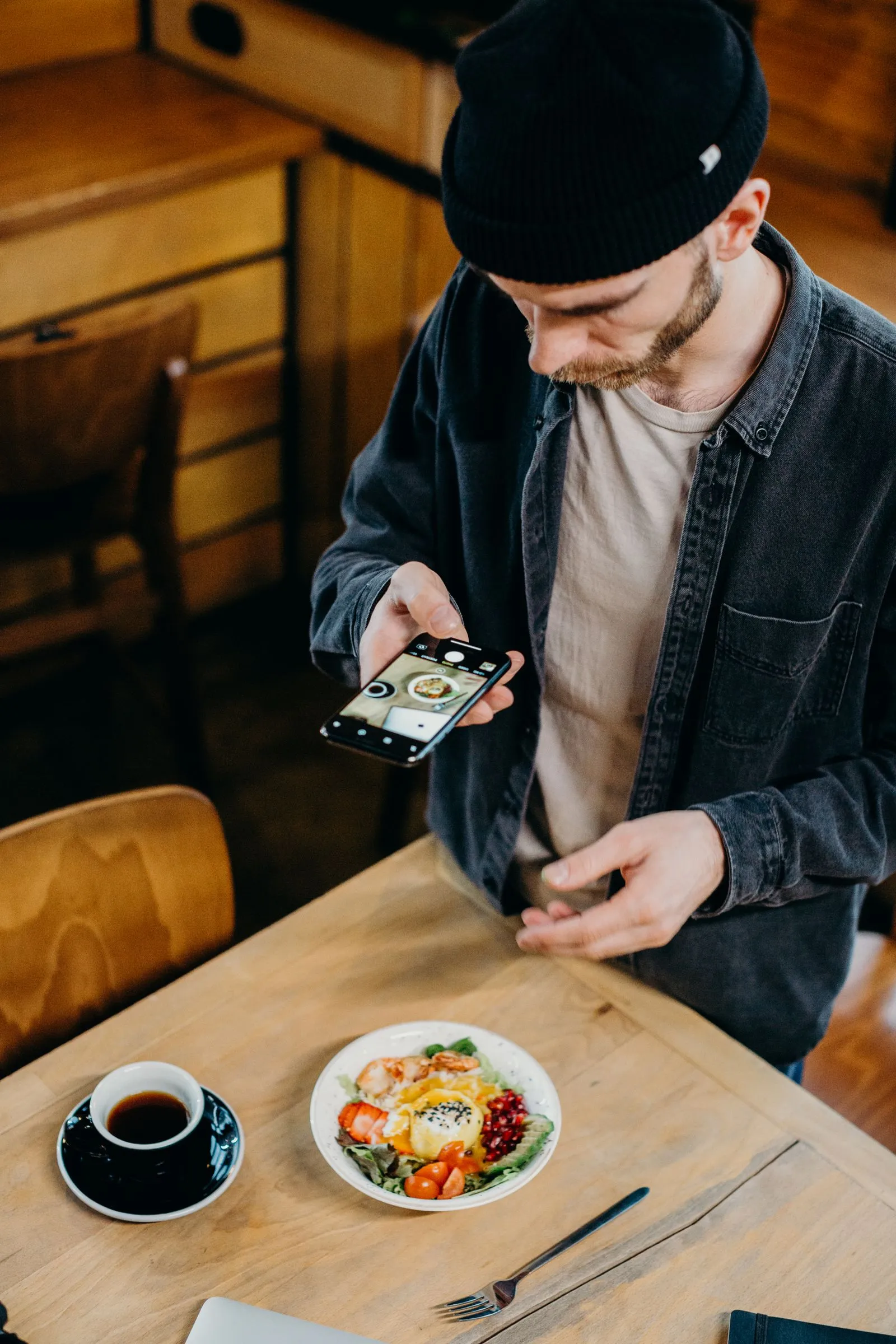
Namaste, foodies. Dev Kamal here, Sailor Geek and proud owner of a camera roll that is roughly forty percent brunch. We all do it: the plate lands, the phone comes out. But why does the dish look divine on the table and a bit sad on the screen? Good news, darling: it’s not your phone. It’s a few settings and habits, and we’re about to fix them.
Light Is Everything
- Find the window: soft daylight from the side is the secret behind most beautiful food photos. Ask for a table near a window when you can.
- Turn off the flash: flash flattens food and makes sauces look shiny in the wrong way.
- Avoid harsh overhead spots: if a lamp is shining straight down, slide the plate a little until the light falls from the side.
- Outdoor tables: bright shade is kinder than direct midday sun, which creates hard shadows. Under an umbrella is perfect.
Pick the Right Angle
Different dishes have a “best side”, just like us.
- Straight from above: great for pizza, bowls, breakfast spreads and anything flat and colourful. Hold the phone parallel to the table.
- At about 45 degrees: how we naturally see a plate when sitting. Good for most main dishes.
- Eye level: perfect for tall things: burgers, layered cakes, stacks of pancakes, cocktails in pretty glasses.
Turn on the camera grid in your settings. On many phones it’s under Camera settings, called Grid or Grid lines. It helps keep top-down shots straight and lets you place the dish off-centre for a more relaxed look.
Phone Settings That Help
- Tap to focus: tap the most delicious part of the dish, like the glossy yolk or the melting cheese.
- Adjust brightness: after tapping, most phones let you slide exposure up or down. Slightly darker often looks richer.
- Skip the heavy zoom: if your phone has a telephoto lens (the 2x or 3x button), it can flatter food. Digital zoom beyond that gets blurry fast.
- Portrait mode: blurs the background nicely for eye-level shots. Check the edges, as it sometimes blurs a bit of the glass too.
- Food mode: some phones have a food or scene setting that warms the colours. Try it, and compare.
- Clean the lens: your phone lives in your pocket. A quick wipe with a soft cloth is the single best upgrade ever.
Style the Table in Ten Seconds
- Move the clutter out of the frame: keys, phones, receipts, the sauce bottle.
- Add a human touch: a hand holding a fork or lifting a glass makes the shot feel alive.
- Turn the plate so the best-looking side faces you.
- Include a little context: a coffee cup, a napkin, a bit of the table texture.
Edit Lightly
Your phone’s built-in editor is plenty. Nudge brightness, add a touch of warmth and a little contrast, crop to straighten. Avoid strong filters that turn green salads grey or make everything orange. The goal is “as good as it tasted”, not “unrecognisable”.
Polite Food Photography
- Be quick. Thirty seconds, then eat. Hot food waits for nobody.
- No flash in restaurants. Fellow diners will thank you.
- Don’t stand on chairs. Trust us.
- If you’re with friends, ask before photographing their plates, and their faces.
- Put the phone away and enjoy the meal and the company.
The Geek’s Final Byte
Window light, the right angle and a clean lens will do ninety percent of the work. The rest is appetite. It’s not a bug, it’s a feature: your camera roll is about to look like a cookbook.
Comments
Also give your opinion.

 The Captain Look






Leave a comment